

<img height="1" width="1" src="https://www.facebook.com/tr?id=922328371831790&amp;ev=PageView &amp;noscript=1">
Request My Demo
Request My Demo

Recording Solutions for City Council Meetings

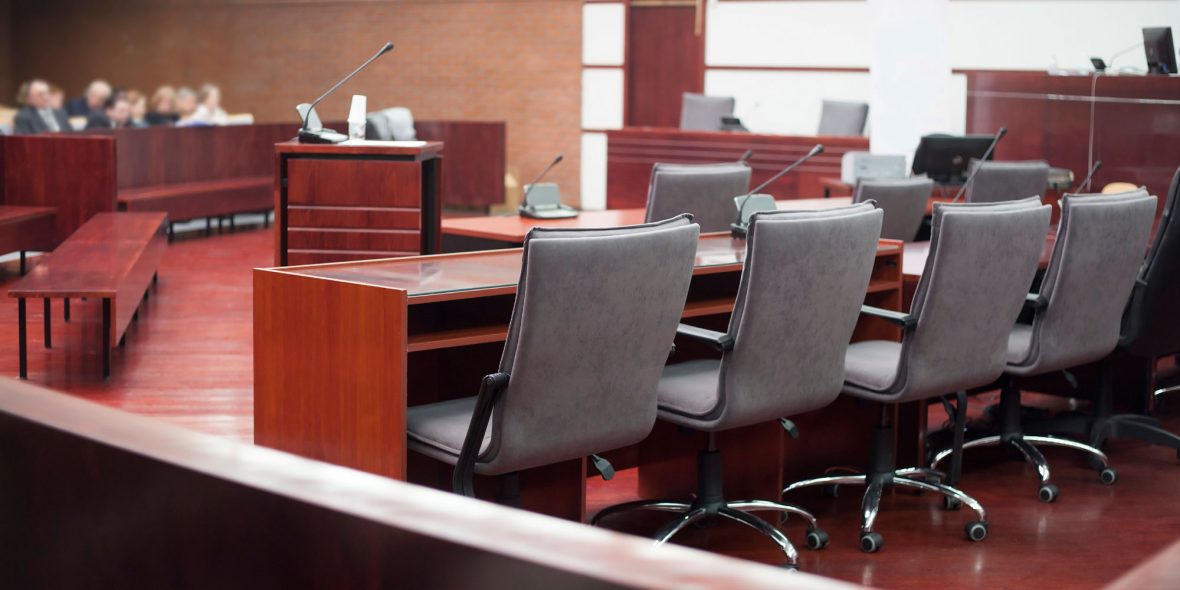
There has been a surge in the number of municipalities that use video to record meetings of city council chambers. The benefits of city chambers video capture are enormous — video serves as an accurate record and transcription of the meeting and is a wonderful public outreach tool. Many large cities provide city council meeting recorded videos directly to the public online.

Video Software Solutions

city council meeting

VALT for Recording City Council Meetings

VALT video from IVS is an inexpensive and user-friendly video system for cities and counties to record chambers meetings, councils, and special sessions. Once installed, VALT requires no special expertise to operate. VALT is a browser-based application making it accessible for anyone with access by members or by the public with no special equipment required.

Learn More
ease of use icon

Easy to Use

VALT is a super intuitive tool. Any user can be trained in minutes. It can be seamlessly customized into any city hall environment. The video management and sharing can be completely automated.

HD video icon

HD Video & High Quality Audio

VALT integrates with the latest IP camera technology. Observe and review in HD video in 1080p resolution. Auto-gaining discrete microphones provide high-quality, synchronized audio, great for picking up soft voices.

IVS-icon-template-14

Scalability

VALT's centralized architecture can support multiple cameras, store up to 16,000 hours of video, and support unlimited streams, so anyone with proper permissions can access and share content. This removes the need for bulky equipment in each room.

CouncilTownHall18

Features that Support Recording City Council Meetings

Recorded video is immediately available for viewing on the network. For municipalities that post recorded council meetings online, being able to immediately view the council proceedings is a great feature for the public. Features support the ease of starting and sharing content.

Learn More
Camera Grouping Icon

Camera Grouping

Multiple cameras can be placed in the council chambers in order to provide viewing from many angles. Save room views with up to 9 different cameras on one tab with custom matrices.

IVS-icon-template-1-1

Flexible Recording Options

A button may also be mounted in the room that allows the operator to start and stop the video at any time. A remote operator may also start and stop city council chambers video recordings.

IVS-icon-template-14

Markers

Video segments can be annotated with notes and are tagged with metadata, making it easy for a user to look up a particular session. No special viewing equipment is required — people can view video from any common device.

IVS-icon-template-14

HD PTZ Camera Support

Easily control HD pan-tilt-zoom (PTZ) cameras through our software interface. We can also create or jump to predefined positions called “presets” when our system is paired with PTZ enabled cameras.

IVS-icon-template-3

Sharing

Built-in sharing tools allow users to easily share video with groups or other individual users. Share specific videos as direct URL access links. This can also be used to connect videos from our system to third-party software.

IVS-icon-template-8

Scheduler

A built-in scheduler allows users to schedule recordings in advance or set up repeating schedules so the system automatically records the meeting(s) on the desired days and times.
Learn more about our audio video recording solutions.

Mobile Recording Solutions

beam-NEW

Mobile Recording for City Council Meetings

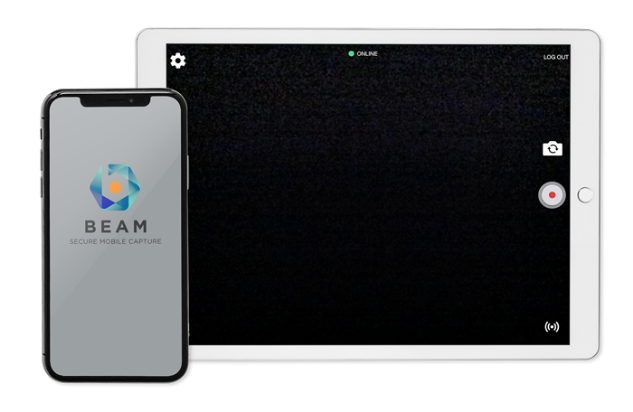
Another useful tool for council chambers meeting recording is our Beam mobile capture application. This feature allows an institution to set up our extremely portable VALT cameras and microphones off-site and record the proceedings with a tablet or smartphone. When the operator returns to the main server, the video is automatically uploaded and synced.

Learn More


Municipalities can opt for a complete turnkey solution from IVS, which can be implemented by any internal IT department, or by a third-party integrator. IVS works closely with every customer to ensure a fully successful installation of the VALT video system. Contact IVS to request a quote or to schedule a product demonstration.

Our Services

IVS-icon-template-8
Project Management
A dedicated Project Manager oversees the implementation process. They take the time to assess and understand everyone's needs, ensuring a smooth and efficient process
IVS-icon-template-29
Installation
Our team of certified A/V technicians is equipped to handle all aspects of the installation process, including mounting cameras and microphones, setting up network equipment, and configuring software.
IVS-icon-template-9
Support & Training
We provide ongoing support and training to ensure your success.  Our team of technical experts is not only knowledgeable but also friendly and approachable.

Get Started with an A/V Expert

When you partner with IVS, you get a dedicated solutions expert every step of the way. Speak with a A/V specialist to get a evaluation of your space and how to optimize it for video.

FAQs for Recording City Council Meetings

Audio/video recording of city council meetings offers numerous benefits for municipalities. It is an accurate record and transcription of the proceedings, eliminating confusion or disputes about what was said or decided. Additionally, video is an excellent public outreach tool, allowing constituents to stay informed and engaged with their local government. Many cities even provide recorded city council meeting videos directly to the public online, promoting transparency and accessibility.
VALT is a flexible, user-friendly audio/video system recording city council meetings, special sessions, and other municipal proceedings. The system records video in standard .mp4 format, making it easily viewable by council members and the public without requiring special equipment. Once installed, VALT is simple to operate and requires no particular expertise for effective use, ensuring your staff can quickly and easily record and manage meeting videos.
VALT utilizes IP cameras and auto-gaining microphones to create top-quality audio and video recordings. Our IP camera line includes fixed and movable PTZ (pan-tilt-zoom) models that can be installed anywhere in the council chambers. Multiple cameras can be placed throughout the room to provide viewing from various angles, capturing all the essential details of the meeting. The auto-gaining microphones eliminate background noise and hum, ensuring clear and intelligible audio.
VALT simplifies the process. Recorded city council sessions are readily viewable by anyone with access, using a common internet browser like Firefox, Chrome, or Safari. No specialized viewing equipment is necessary, and videos can be reached from any standard device, be it a computer, tablet, or smartphone. This user-friendly approach allows council members to review past meetings and the public to stay informed, fostering transparency and engagement.
Yes, VALT is equipped with a range of features to help municipalities efficiently organize and manage their recorded meeting videos. The system enables users to annotate video segments with notes and tag them with metadata, facilitating easy lookup and reference of specific sessions. VALT also employs h.264 compression to minimize demands on the internal network, ensuring that recorded video is immediately available for viewing, with no lag time due to rendering or formatting.
Absolutely. VALT offers our BEAM mobile capture application that allows municipalities to record proceedings off-site using a tablet or smartphone. This is particularly useful for meetings or events that take place outside of the regular council chambers. When the operator returns to the central server, the video is automatically uploaded and synced with the central system, ensuring all recordings are easily accessible and properly archived.